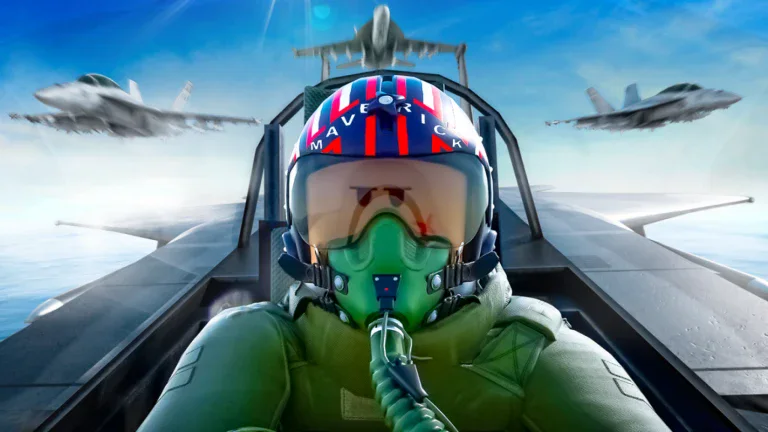
Scambi di Military Tycoon
Cerca gli annunci dal vivo di Military Tycoon da giocatore a giocatore per value (in Gems), category (Air, Ground, Naval) and demand — ogni scambio è oggetto per oggetto con trader verificati, senza denaro reale e senza prezzi imposti dalla piattaforma.
TradingKeep è un marketplace da giocatore a giocatore creato dai fan — senza alcuna affiliazione né approvazione da parte di Military Tycoon o del suo editore. I nomi e le immagini dei giochi e degli oggetti appartengono ai rispettivi proprietari.
Trading rules
Trading in Military Tycoon arrived with the Trading Update on October 12, 2024: open the blue Trade menu under the Tasks icon (or teleport into the dedicated Trade Server added in the December 2024 Christmas update), pick another player in the server, and both sides press Ready to start a 7-second countdown before the swap locks — either player can tap Not Ready during that countdown to back out. You can trade Soldiers, Drones, Diamonds, and most Vehicles across Air, Ground, and Naval, all strictly item-for-item with no Robux or real-money leg; Diamonds are the only currency that can go into the window. A number of items carry an in-game non-tradeable flag and simply can't be placed in a trade, so those are marked non-listable here. Military Tycoon has no official RAP, which is why values on this hub are community reference points quoted in Gems, never prices.
Caricamento inserzioni …
Military Tycoon is a base-building war game where you fund an ever-bigger arsenal, and its trading scene revolves around that arsenal. What actually changes hands are Soldiers, Drones, Diamonds, and Vehicles — the Air, Ground, and Naval machines you unbox, unlock, or earn from events — while the value list also tracks the game's cosmetic layer of Weapons, Tools, Armor, Banners, Emblems, and Emotes. A vehicle's trade standing is built mostly from scarcity and firepower: limited and event releases such as the LE Bismarck or Santa Killer stop entering the game once their window closes, so their supply is frozen while newer players still want them, and standout performers like the Super Mech Walker or a top-tier tank hold demand on raw capability. Because there is no shop sticker on a traded item, each one stands at exactly what another player will hand over for it right now.
Trading was added in the October 12, 2024 Trading Update and runs through the in-game Trade menu (the blue Trade icon under Tasks) or the dedicated Trade Server that the December 2024 Christmas update introduced. Click a player in the server to send a request; once it's accepted, both sides load Soldiers, Drones, Diamonds, and most Vehicles into the window, and the deal only finalizes after both players press Ready and a 7-second countdown runs — tap Not Ready at any point during that countdown to cancel. The restriction worth knowing is that not every item is tradeable: Military Tycoon carries a per-item non-tradeable flag, and any vehicle or item marked that way can't be placed in a trade at all, which is why part of the catalog is marked non-listable here. Everything moves item-for-item, with Diamonds the only currency that can be added to a trade and no Robux or cash leg anywhere in the flow.
As with any Roblox trade economy, treat a deal as adversarial until it closes. The most common trap is the last-second swap, where a trader shows a strong vehicle, then quietly changes their side of the window right before the countdown hoping you press Ready without re-reading it — so check the full window one more time before you confirm, every time. Watch too for quantity bait, a pile of low-value soldiers or drones stacked to look impressive but adding up to less than the single item you're giving, and steer clear of anyone pushing a "trust trade," a middleman, or a deal that leaves the game. Use a community value list the smart way: it reflects the general standing and demand for an item, not a guaranteed number, so let it tell you whether a swap is roughly balanced and treat every figure as a reference point for a fair, mutually agreed trade — never a price.
FAQ sugli scambi di Military Tycoon
TradingKeep ha commissioni?
No — TradingKeep è completamente gratuito. Non ci sono costi e non tratteniamo mai una percentuale sui tuoi scambi.
Come funziona lo scambio di oggetti di Military Tycoon?
È uno scambio oggetto per oggetto, da giocatore a giocatore. Pubblichi l'oggetto che possiedi — con le caratteristiche con cui è arrivato — e ciò che accetteresti in cambio. Gli altri giocatori fanno delle offerte, tu accetti quella che preferisci e completate lo scambio nel gioco. Nessun intermediario, nessun denaro.
C'è di mezzo del denaro reale?
No. TradingKeep è solo oggetto-per-oggetto. Le offerte in denaro reale e gift card violano le regole del gioco e sono vietate qui — segnala chiunque ci provi.
Come ferma le truffe TradingKeep?
In diversi modi contemporaneamente: recensioni verificate dallo scambio così che la storia di un trader sia reale, una chat che mostra ogni link come testo semplice così il phishing non può attecchire, un passaggio di doppia conferma su ogni scambio e un sistema di segnalazione legato a esiti visibili.
Cos'è una recensione "verificata dallo scambio"?
Una recensione di cui ti puoi fidare: si sblocca solo dopo uno scambio completato che entrambe le parti hanno confermato. Niente valutazioni mordi-e-fuggi e niente review-bombing.
Le mie inserzioni scadono?
Le inserzioni restano attive per 30 giorni e possono essere rilanciate ogni 6 ore per restare in cima. Finito di scambiare? Annulla un'inserzione quando vuoi.