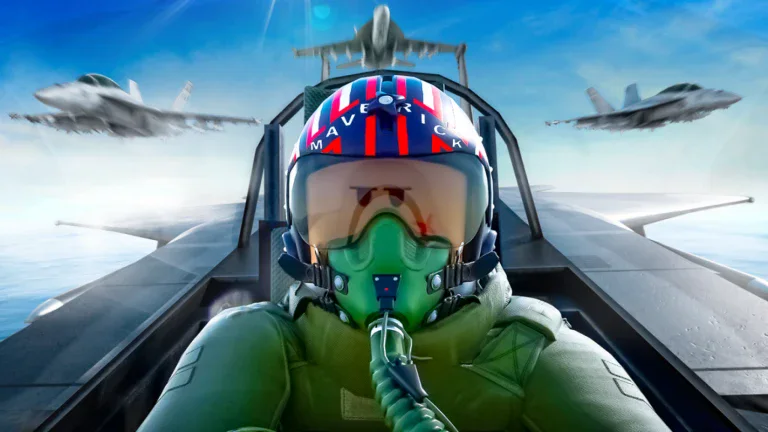
Торговля Military Tycoon
Ищите активные объявления Military Tycoon между игроками по параметрам value (in Gems), category (Air, Ground, Naval) and demand — каждый обмен происходит предмет на предмет с проверенными участниками, без настоящих денег и без цен, устанавливаемых платформой.
TradingKeep — это фанатская площадка для обмена между игроками, не связанная с Military Tycoon или её издателем и не одобренная ими. Названия и изображения игр и предметов принадлежат их соответствующим владельцам.
Trading rules
Trading in Military Tycoon arrived with the Trading Update on October 12, 2024: open the blue Trade menu under the Tasks icon (or teleport into the dedicated Trade Server added in the December 2024 Christmas update), pick another player in the server, and both sides press Ready to start a 7-second countdown before the swap locks — either player can tap Not Ready during that countdown to back out. You can trade Soldiers, Drones, Diamonds, and most Vehicles across Air, Ground, and Naval, all strictly item-for-item with no Robux or real-money leg; Diamonds are the only currency that can go into the window. A number of items carry an in-game non-tradeable flag and simply can't be placed in a trade, so those are marked non-listable here. Military Tycoon has no official RAP, which is why values on this hub are community reference points quoted in Gems, never prices.
Загрузка лотов …
Military Tycoon is a base-building war game where you fund an ever-bigger arsenal, and its trading scene revolves around that arsenal. What actually changes hands are Soldiers, Drones, Diamonds, and Vehicles — the Air, Ground, and Naval machines you unbox, unlock, or earn from events — while the value list also tracks the game's cosmetic layer of Weapons, Tools, Armor, Banners, Emblems, and Emotes. A vehicle's trade standing is built mostly from scarcity and firepower: limited and event releases such as the LE Bismarck or Santa Killer stop entering the game once their window closes, so their supply is frozen while newer players still want them, and standout performers like the Super Mech Walker or a top-tier tank hold demand on raw capability. Because there is no shop sticker on a traded item, each one stands at exactly what another player will hand over for it right now.
Trading was added in the October 12, 2024 Trading Update and runs through the in-game Trade menu (the blue Trade icon under Tasks) or the dedicated Trade Server that the December 2024 Christmas update introduced. Click a player in the server to send a request; once it's accepted, both sides load Soldiers, Drones, Diamonds, and most Vehicles into the window, and the deal only finalizes after both players press Ready and a 7-second countdown runs — tap Not Ready at any point during that countdown to cancel. The restriction worth knowing is that not every item is tradeable: Military Tycoon carries a per-item non-tradeable flag, and any vehicle or item marked that way can't be placed in a trade at all, which is why part of the catalog is marked non-listable here. Everything moves item-for-item, with Diamonds the only currency that can be added to a trade and no Robux or cash leg anywhere in the flow.
As with any Roblox trade economy, treat a deal as adversarial until it closes. The most common trap is the last-second swap, where a trader shows a strong vehicle, then quietly changes their side of the window right before the countdown hoping you press Ready without re-reading it — so check the full window one more time before you confirm, every time. Watch too for quantity bait, a pile of low-value soldiers or drones stacked to look impressive but adding up to less than the single item you're giving, and steer clear of anyone pushing a "trust trade," a middleman, or a deal that leaves the game. Use a community value list the smart way: it reflects the general standing and demand for an item, not a guaranteed number, so let it tell you whether a swap is roughly balanced and treat every figure as a reference point for a fair, mutually agreed trade — never a price.
FAQ по торговле Military Tycoon
Берёт ли TradingKeep какие-либо комиссии?
Нет — TradingKeep полностью бесплатен. Никаких комиссий, и мы никогда не берём долю с ваших обменов.
Как работает обмен предметами Military Tycoon?
Это обмен предмет на предмет, между игроками. Вы выкладываете предмет, который у вас есть, — и роллы, с которыми он достался, — а также то, что готовы за него взять. Другие игроки делают предложения, вы принимаете то, которое вам нравится, и завершаете обмен в самой игре. Никаких посредников, никаких денег.
Замешаны ли тут реальные деньги?
Нет. TradingKeep — только вещь за вещь. Предложения за реальные деньги и подарочные карты нарушают правила игры и запрещены здесь — сообщайте о любом, кто попытается.
Как TradingKeep останавливает мошенников?
Несколькими способами одновременно: отзывы с подтверждёнными сделками, чтобы история трейдера была настоящей, чат, отображающий каждую ссылку как обычный текст, чтобы фишинг не сработал, шаг двойного подтверждения для каждой сделки и система жалоб, привязанная к видимым результатам.
Что такое отзыв с «подтверждённой сделкой»?
Отзыв, которому можно доверять: он открывается только после завершённой сделки, подтверждённой обеими сторонами. Никаких случайных оценок и никаких атак отзывами.
Истекают ли мои лоты?
Лоты активны 30 дней и могут подниматься каждые 6 часов, чтобы оставаться вверху. Закончили торговать? Отмените лот в любой момент.