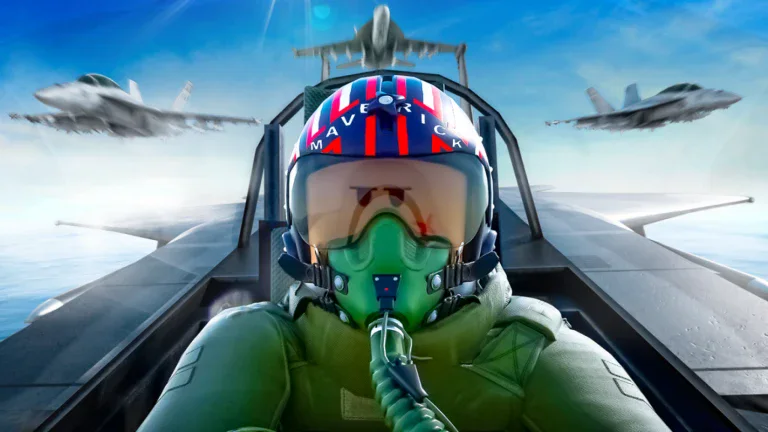
Trading Military Tycoon
Cari daftar Military Tycoon antarpemain yang aktif berdasarkan value (in Gems), category (Air, Ground, Naval) and demand — setiap perdagangan adalah barang-lawan-barang dengan trader terverifikasi, tanpa uang sungguhan dan tanpa harga yang ditetapkan platform.
TradingKeep adalah pasar antarpemain buatan penggemar — tidak berafiliasi dengan atau didukung oleh Military Tycoon maupun penerbitnya. Nama dan gambar game serta barang adalah milik pemiliknya masing-masing.
Trading rules
Trading in Military Tycoon arrived with the Trading Update on October 12, 2024: open the blue Trade menu under the Tasks icon (or teleport into the dedicated Trade Server added in the December 2024 Christmas update), pick another player in the server, and both sides press Ready to start a 7-second countdown before the swap locks — either player can tap Not Ready during that countdown to back out. You can trade Soldiers, Drones, Diamonds, and most Vehicles across Air, Ground, and Naval, all strictly item-for-item with no Robux or real-money leg; Diamonds are the only currency that can go into the window. A number of items carry an in-game non-tradeable flag and simply can't be placed in a trade, so those are marked non-listable here. Military Tycoon has no official RAP, which is why values on this hub are community reference points quoted in Gems, never prices.
Memuat listing …
Military Tycoon is a base-building war game where you fund an ever-bigger arsenal, and its trading scene revolves around that arsenal. What actually changes hands are Soldiers, Drones, Diamonds, and Vehicles — the Air, Ground, and Naval machines you unbox, unlock, or earn from events — while the value list also tracks the game's cosmetic layer of Weapons, Tools, Armor, Banners, Emblems, and Emotes. A vehicle's trade standing is built mostly from scarcity and firepower: limited and event releases such as the LE Bismarck or Santa Killer stop entering the game once their window closes, so their supply is frozen while newer players still want them, and standout performers like the Super Mech Walker or a top-tier tank hold demand on raw capability. Because there is no shop sticker on a traded item, each one stands at exactly what another player will hand over for it right now.
Trading was added in the October 12, 2024 Trading Update and runs through the in-game Trade menu (the blue Trade icon under Tasks) or the dedicated Trade Server that the December 2024 Christmas update introduced. Click a player in the server to send a request; once it's accepted, both sides load Soldiers, Drones, Diamonds, and most Vehicles into the window, and the deal only finalizes after both players press Ready and a 7-second countdown runs — tap Not Ready at any point during that countdown to cancel. The restriction worth knowing is that not every item is tradeable: Military Tycoon carries a per-item non-tradeable flag, and any vehicle or item marked that way can't be placed in a trade at all, which is why part of the catalog is marked non-listable here. Everything moves item-for-item, with Diamonds the only currency that can be added to a trade and no Robux or cash leg anywhere in the flow.
As with any Roblox trade economy, treat a deal as adversarial until it closes. The most common trap is the last-second swap, where a trader shows a strong vehicle, then quietly changes their side of the window right before the countdown hoping you press Ready without re-reading it — so check the full window one more time before you confirm, every time. Watch too for quantity bait, a pile of low-value soldiers or drones stacked to look impressive but adding up to less than the single item you're giving, and steer clear of anyone pushing a "trust trade," a middleman, or a deal that leaves the game. Use a community value list the smart way: it reflects the general standing and demand for an item, not a guaranteed number, so let it tell you whether a swap is roughly balanced and treat every figure as a reference point for a fair, mutually agreed trade — never a price.
FAQ trading Military Tycoon
Apakah TradingKeep memungut biaya?
Tidak — TradingKeep sepenuhnya gratis. Tidak ada biaya apa pun dan kami tidak pernah mengambil potongan dari transaksi Anda.
Bagaimana cara trading item Military Tycoon?
Ini adalah perdagangan barang-lawan-barang, antarpemain. Kamu memasang barang yang kamu miliki — beserta roll yang menyertainya — plus apa yang kamu inginkan sebagai gantinya. Pemain lain mengajukan tawaran, kamu menerima yang kamu suka, lalu kamu menyelesaikan perdagangan di dalam game. Tanpa perantara, tanpa uang.
Apakah ada uang asli yang terlibat?
Tidak. TradingKeep hanya item lawan item. Penawaran uang asli dan gift card melanggar aturan game dan dilarang di sini — laporkan siapa pun yang mencoba.
Bagaimana TradingKeep mencegah penipuan?
Beberapa cara sekaligus: ulasan terverifikasi-trade supaya riwayat trader itu nyata, chat yang menampilkan setiap link sebagai teks biasa supaya phishing tidak mempan, langkah konfirmasi ganda pada setiap trade, dan sistem pelaporan yang terikat pada hasil yang terlihat.
Apa itu ulasan "terverifikasi-trade"?
Ulasan yang bisa kamu percaya: hanya terbuka setelah trade selesai yang dikonfirmasi kedua pihak. Tanpa rating asal-asalan dan tanpa review-bombing.
Apakah listing saya kedaluwarsa?
Listing tetap aktif selama 30 hari dan bisa di-bump tiap 6 jam agar tetap di atas. Selesai trading? Batalkan listing kapan saja.